
How to Create a Task
Quick Answer
You can create a task by going to your Tasks section and clicking Add Task.
Step-by-Step
Go to the Tasks tab
Click Add Task
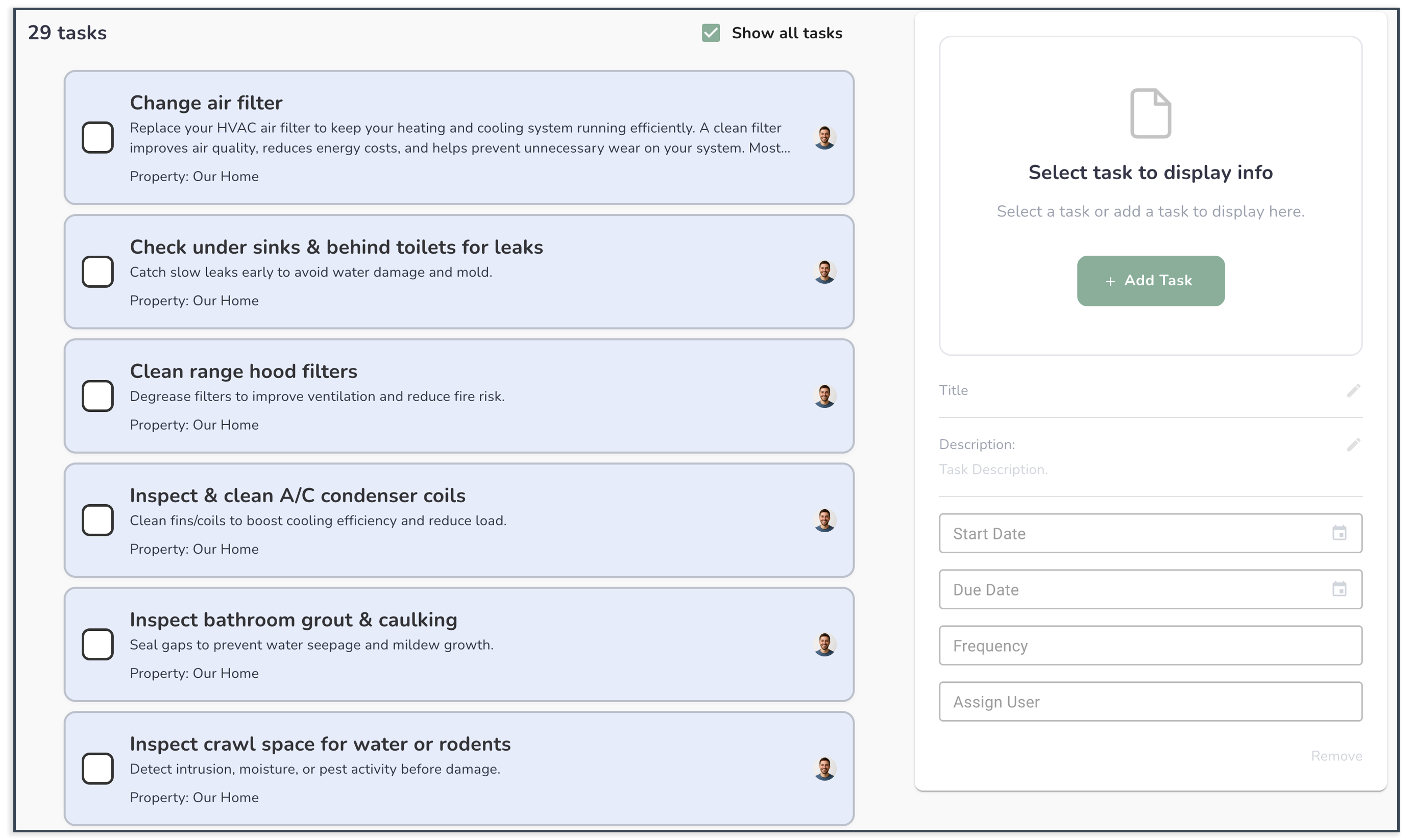
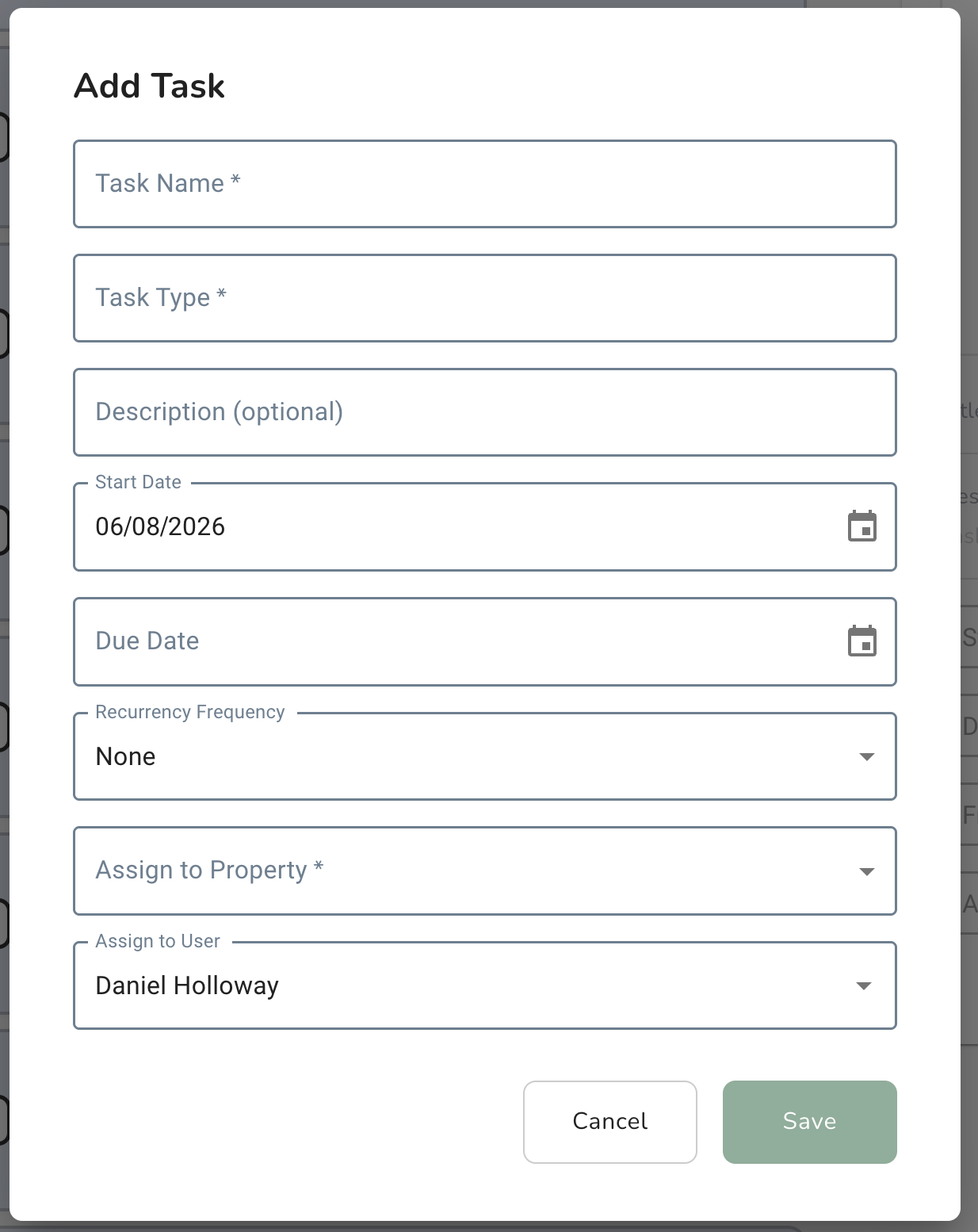
Enter a task name (e.g., Replace air filter)
Set a due date (optional but recommended)
Assign it to someone (optional)
Click Save
Common Issues
I don’t see the “Add Task” button
You may not have permission to create tasks.
My task didn’t show up
Refresh your page or check your filters.
No one is assigned
Tasks can exist without assignment, but assigning helps keep things accountable.