How to Complete a Task

Quick Answer

You can complete a task by opening it and marking it as Complete.


Step-by-Step

Option 1: From the Task List

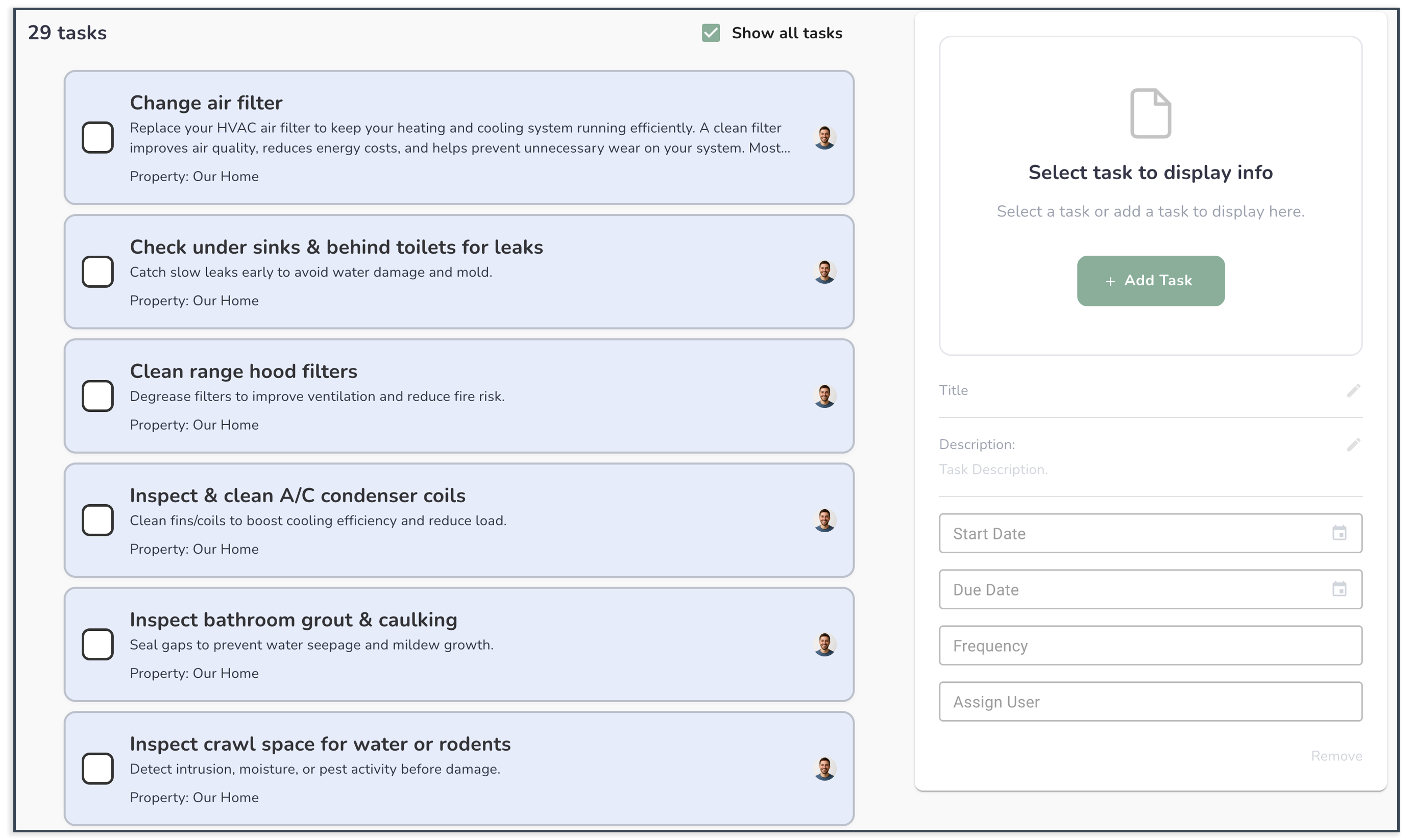
  1. Go to the Tasks tab
  2. Find the task you want to complete
  3. Click the checkbox or Complete button

Option 2: Inside the Task

  1. Open the task
  2. Click Mark as Complete
  3. Save (if required)

What to Expect

  • The task will be marked as completed
  • It may move to a completed or history section
  • You’ll have a record of when it was finished

Common Issues

I don’t see the option to complete the task

Your role may not have permission to update tasks.


The task didn’t update

Refresh your page or try again.


I completed the wrong task

You may be able to reopen or recreate it if needed.


Helpful Tip

Completing tasks regularly helps keep your property organized and gives you a clear history of what’s been done.


  • How to Create a Task
  • How to Assign a Task to Someone
  • How to Set Due Dates & Reminders